
Garmin
Friction Dash Mount with Klipzer for Garmin Astro & Alpha Handheld GPS
Friction Dash Mount with Klipzer for Garmin Astro & Alpha Handheld GPS
Couldn't load pickup availability
Friction Dash Mount with Klipzer for Garmin Astro & Alpha Handheld GPS
Description
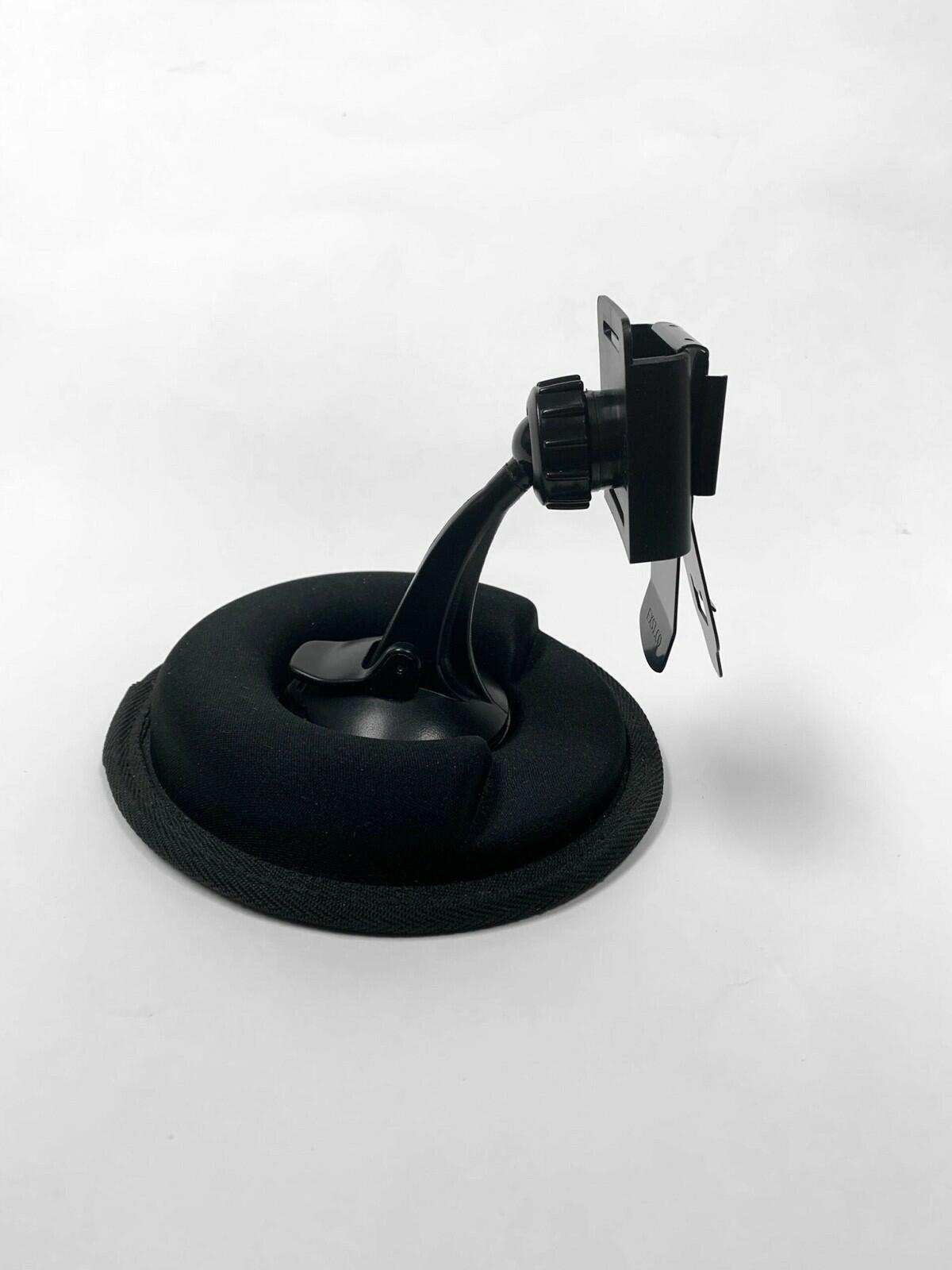
Keep your Garmin handheld GPS accessible, secure, and in plain sight with the Friction Dash Mount with Klipzer Connector. Designed for Astro and Alpha models, this mount requires no tools, adhesives, or permanent installation. Simply place it on your dashboard or any stable surface for quick, reliable mounting.
The weighted base with anti-skid underside ensures stability even during vehicle movement, while the U-shaped wrap-around design allows for easy device adjustment and optimal viewing angles.
The included Klipzer attachment upgrades your mount with a metal belt clip and slide mount for effortless attachment and removal of your Garmin device. Compatible with Astro 320, Astro 430, Alpha 100, and Alpha 200, it works seamlessly with your AstroCover or AlphaCoverno need to remove protective covers.
Features
-
Metal Belt Clip: Fits Astro 320, Astro 430, Alpha 100, Alpha 200
-
Ball-Tip Pedestal: 3.5 pedestal can be removed from base for windshield mounting
-
Locking Suction Cup: Anti-slip design with release tab for easy removal
-
Weighted Base: 1.5+ lbs for stability on dashboards or flat surfaces
-
Slide Mount: Quickly slide your Garmin into/out of the mountno tightening required
-
Durable Construction: Built to withstand rough hunting conditions
-
Mounts with Covers: Compatible with AstroCover and AlphaCover
In the Box
-
Weighted Friction Dash Base
-
Ball-tip pedestal with suction-cup base
-
Metal Belt Clip
-
Slide Mount
Instructions for Use
-
Clean the mounting surface from dirt, dust, and protectant sprays.
-
Remove the protective paper on the underside of the mount.
-
Attach the ball-tip pedestal to the friction base and lock into place.
-
Attach the SlideMount to the pedestal.
-
Slide the Metal Belt Clip (with Garmin handheld attached) into the SlideMount. Adjust for optimal viewing.
Share